How to File a DMCA Takedown on Facebook
Stolen content on Facebook, reposted videos, scraped photos, copied posts, even counterfeit Marketplace listings, can be removed with a DMCA notice, and Facebook's form is one of the simpler ones to complete. You don't need a Facebook account, and one form covers posts, photos, videos, Marketplace listings, Pages, and profiles. Here's the process exactly as the form appears in July 2026.
Before you start
- Proof you own the work, your original file, or a link to where you first published it.
- The exact Facebook links to the posts that copied your work. Click the post's timestamp (or use the three-dot menu and copy the link) to get a direct link for each item.
- Your contact details, full legal name and email address.
- A short, clear description of your original work.
Step 1: Open Facebook's Copyright Report Form
Go to https://www.facebook.com/help/contact/1758255661104383 in the Facebook Help Centre, it loads without logging in. The page is headed Copyright Report Form and opens with a definition: "Copyright is a legal right that protects original works of authorship, such as film, music, books and art." It also warns that the form is only for reporting copyright infringement, and that abuse of the form may result in the termination of your account.
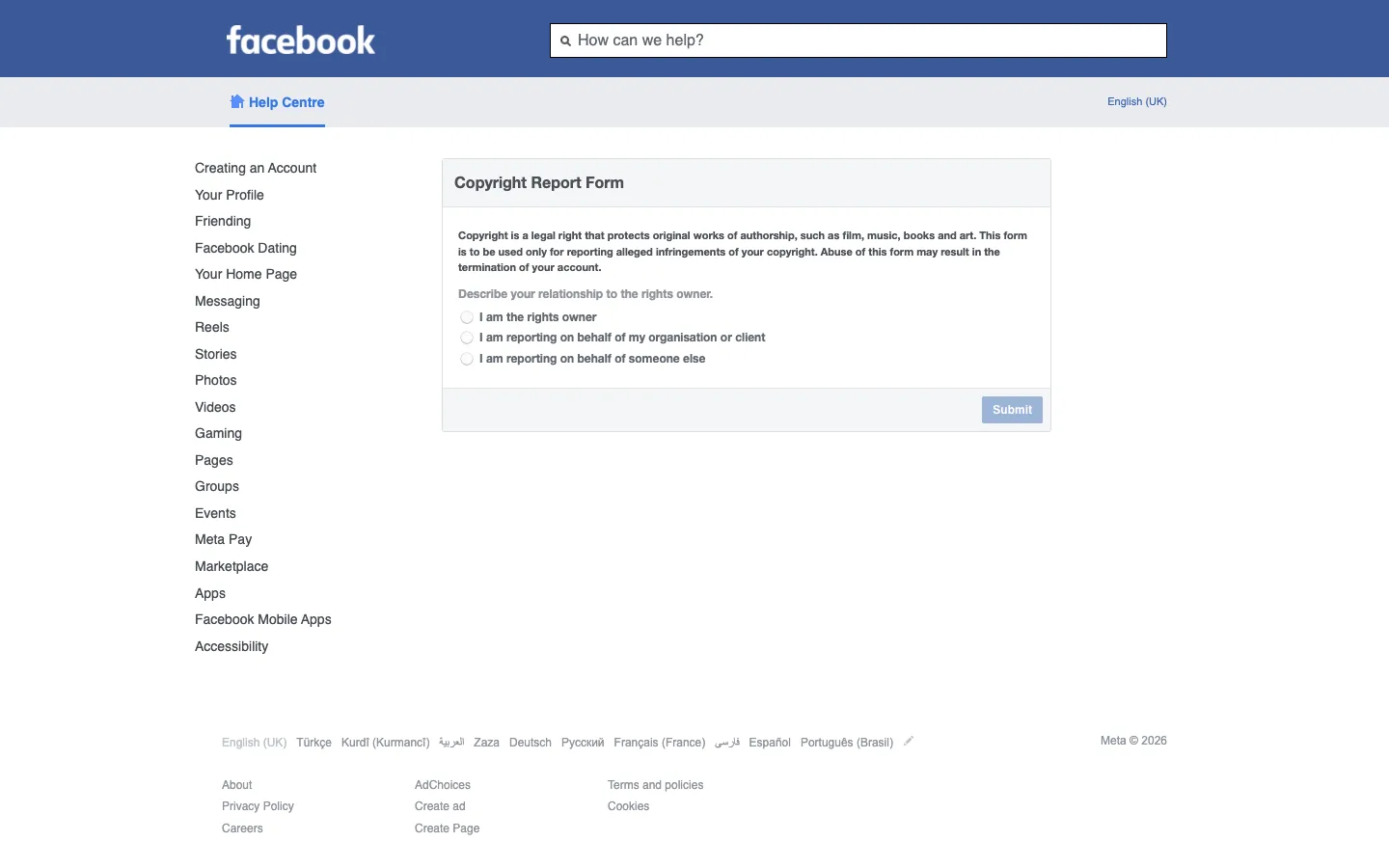
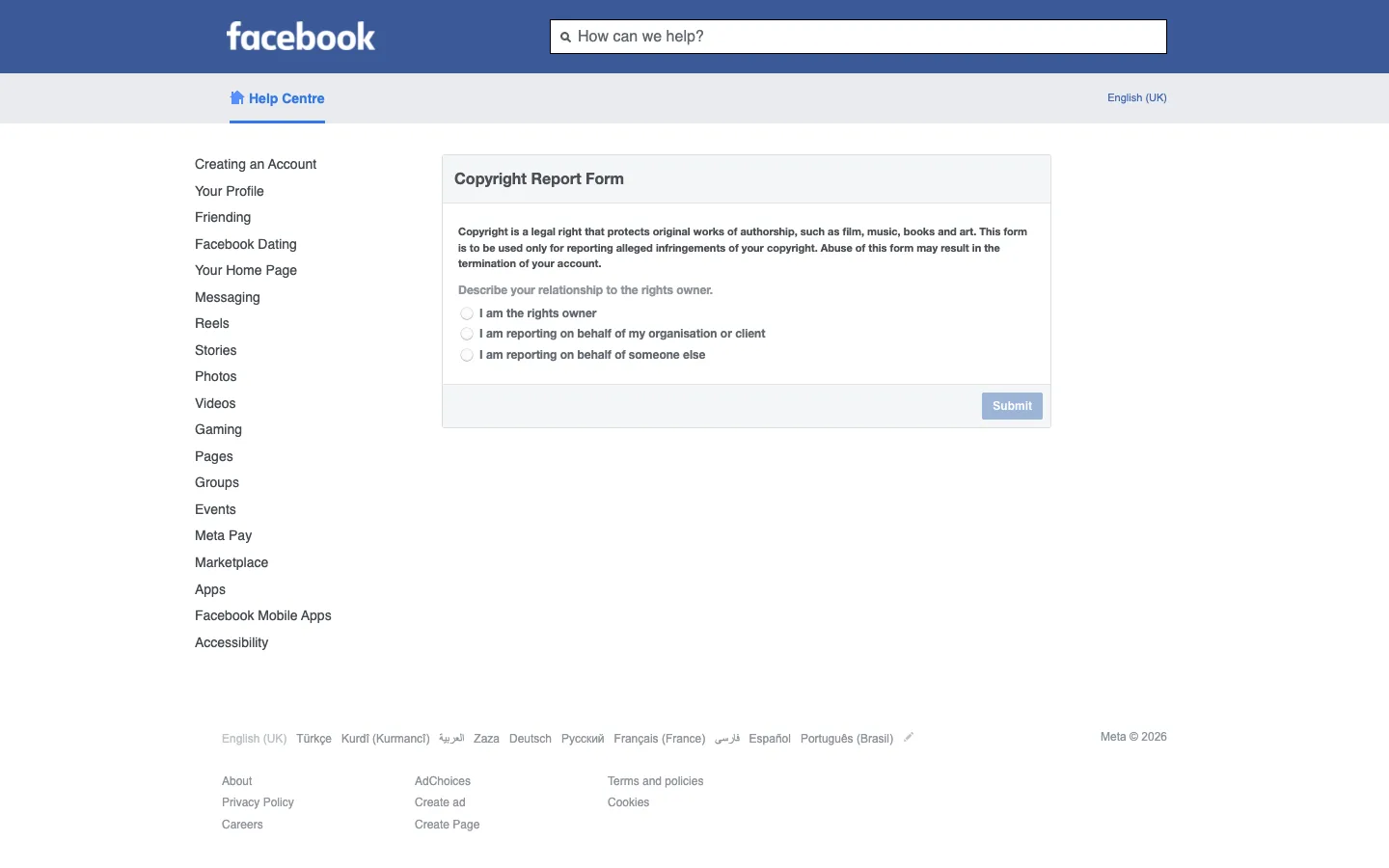
Step 2: Describe your relationship to the rights owner
Under "Describe your relationship to the rights owner." choose one of the three radio options: I am the rights owner, I am reporting on behalf of my organisation or client, or I am reporting on behalf of someone else. If it's your own photo, video, or writing, pick the first. Then click Submit and the rest of the form expands.
Step 3: Enter your contact details
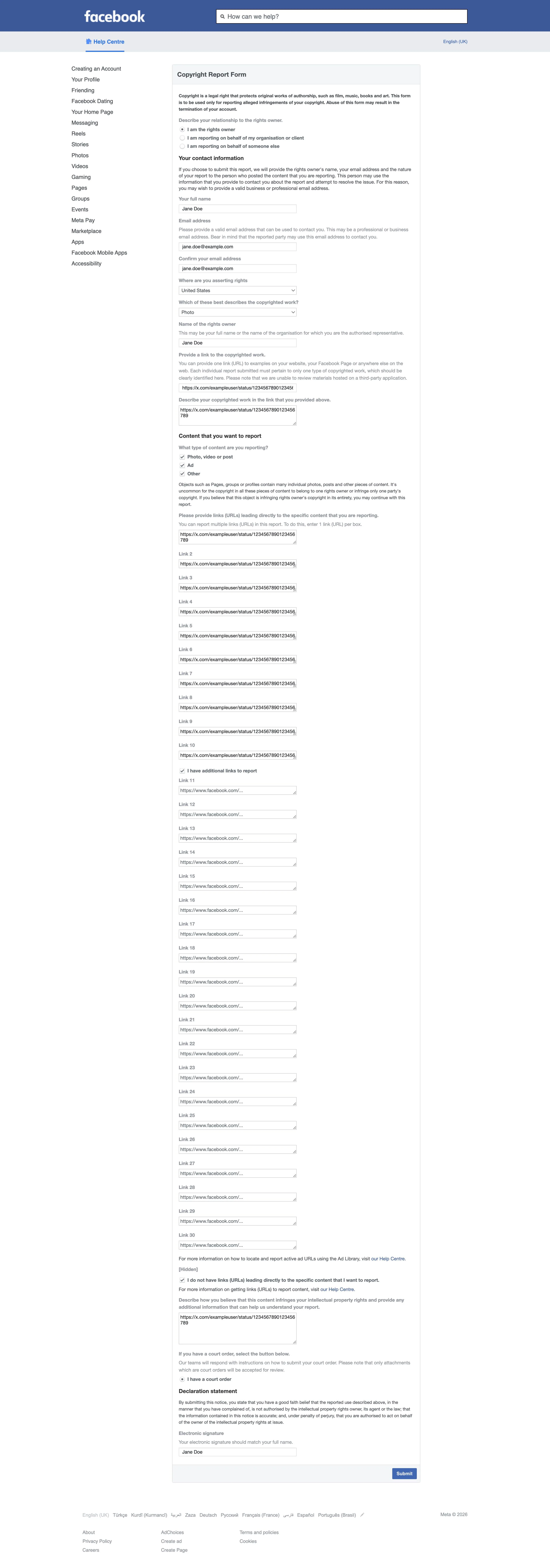
Fill in your full name and email address (and, if you selected the organisation option, who you represent). Use an inbox you check regularly, Meta corresponds about the case by email, and your details are also forwarded to the person you're reporting, which is standard for DMCA notices.
Step 4: Add the links to the posts that copied your work
Paste the direct link to every stolen item, each post, photo, video, Marketplace listing, Page, or profile. The form gives you up to 30 boxes, one link per box. Precision matters: Meta removes the exact links you list, so a link to someone's general profile won't take down the individual stolen posts. List every one.
Step 5: Describe your original copyrighted work
Explain what was copied and point to your original, for example, "a product video first published on my Facebook Page [link]" or "photographs from my website [link]". If only part of a post copies your work (say, one photo in an album), say so explicitly.
Step 6: Complete the declarations and submit
Confirm the legal statements: that you have a good-faith belief the use is unauthorized, that your report is accurate, and that under penalty of perjury you are the rights owner or authorized to act on their behalf. Type your full name as your electronic signature and submit the form. You'll get a confirmation email with a report number, keep it.
What happens after you file
Meta's IP team typically replies within a few days. If the report is valid and complete, the content comes down and the poster is notified with a copy of your report details. The poster can send a counter-notification; if that happens, Meta may restore the content after 10-14 business days unless you inform them that you've filed a court action against the poster.
If you hear nothing, reply to the confirmation email quoting your report number, or re-file with tighter URLs and clearer proof of ownership. It's also worth filing a takedown with Google Search so the stolen post stops appearing in search results even before Facebook acts. If this is a recurring battle, the same content popping up across Facebook, Instagram, and elsewhere, Rulta is a done-for-you DMCA service whose team files and follows up on takedowns for content creators across platforms, so you don't have to chase each report yourself.
This guide is educational information, not legal advice.
Need the notice text?Generate a complete DMCA notice for Facebook — free, one minute
Exhibit A — official takedown formhttps://www.facebook.com/help/contact/1758255661104383
Frequently asked questions
Do I need a Facebook account to file a copyright report?
No. The Copyright Report Form lives in the Help Centre and works without logging in.
How long does Facebook take to act on a DMCA notice?
Meta's IP team usually responds within a few days. Complete reports with exact URLs are handled fastest.
What Facebook content can I report with this form?
Posts, photos, videos, Marketplace listings, Pages, and profiles, anything on Facebook that copies your copyrighted work.
Will the person I report see my details?
Yes. Meta shares your report information, including your name and contact details, with the person who posted the content.
Can the poster fight the removal?
Yes, they can file a counter-notification. If they do, Meta may restore the content in 10-14 business days unless you tell Meta you have filed a court action.
What happens to accounts that repeatedly steal content?
Meta has a repeat-offender policy: accounts, Pages, or groups that receive multiple valid reports can be disabled entirely.