How to File a DMCA Takedown on Google Search
Finding your photos, articles, or videos ranking in Google Search under someone else's website is one of the most common copyright problems online. Google will remove the pages that copied your work from its search results if you file a valid DMCA notice, but the path to its free form winds through a multi-step "legal troubleshooter" that confuses many first-time filers. This guide walks through every screen as it appears in July 2026.
Know this up front: removing a page from Google Search does not delete it from the website hosting it, for that you'll also need to contact the site owner or host. Rulta is a done-for-you DMCA takedown service whose team files takedowns with Google, hosts, and platforms on behalf of content creators and follows up until content comes down.
Before you start
- Proof you own the work, the original file, a link to where you first published it, or a copyright registration.
- The exact web addresses (links) where your stolen work shows up in Google Search results.
- The URL of your original content, so Google can compare.
- Your contact details, full legal name, email, and country.
- 10-15 minutes. Incomplete notices get rejected, so gather everything first.
Step 1: Open Google's Report Content troubleshooter
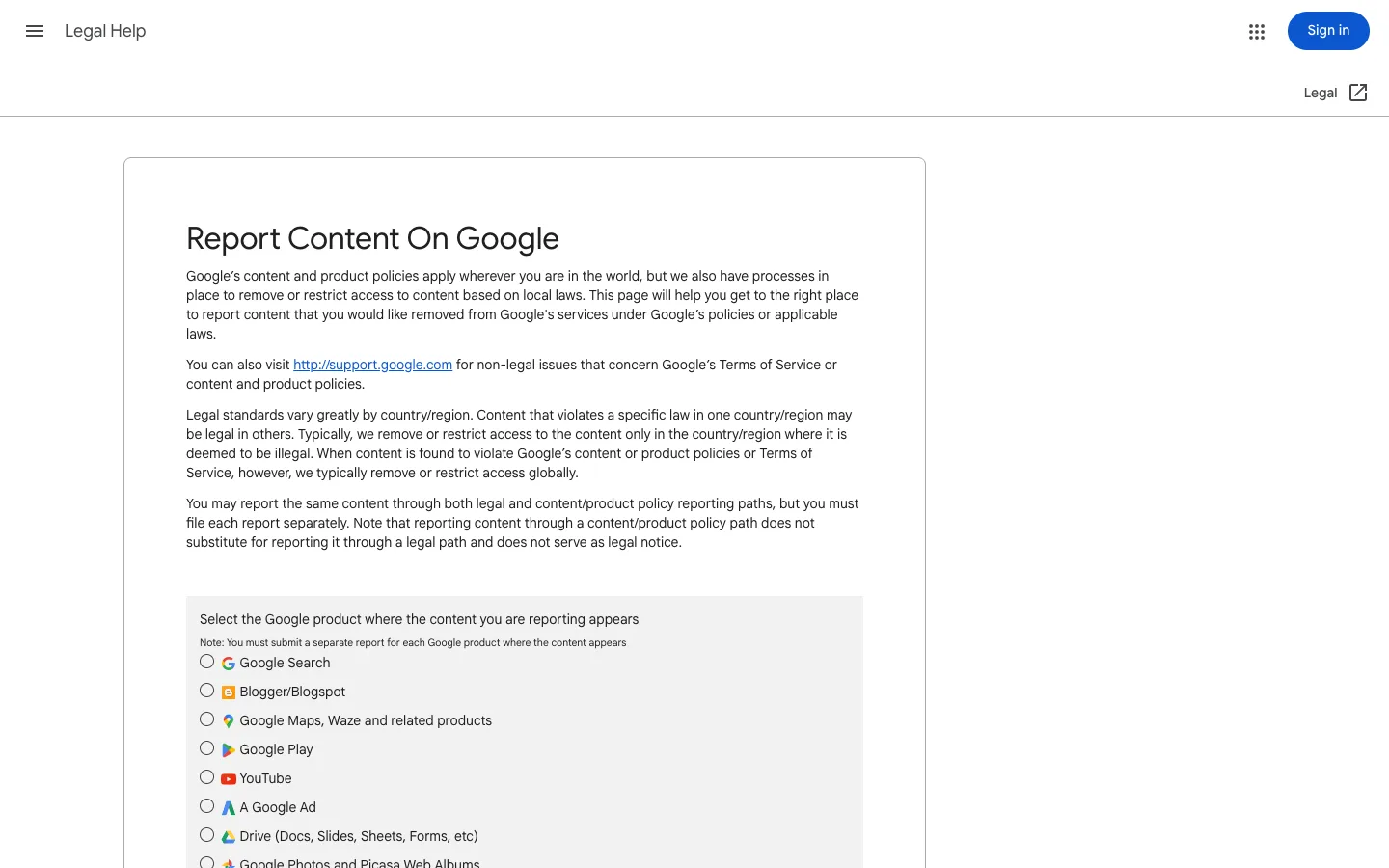
Go to Google's "Report Content On Google" page at https://support.google.com/legal/troubleshooter/1114905. Under "Select the Google product where the content you are reporting appears", choose Google Search from the radio list. Note the warning on this screen: you must submit a separate report for each Google product (Blogger, YouTube, Google Play, and so on).
Step 2: Choose which Search feature the content appears in
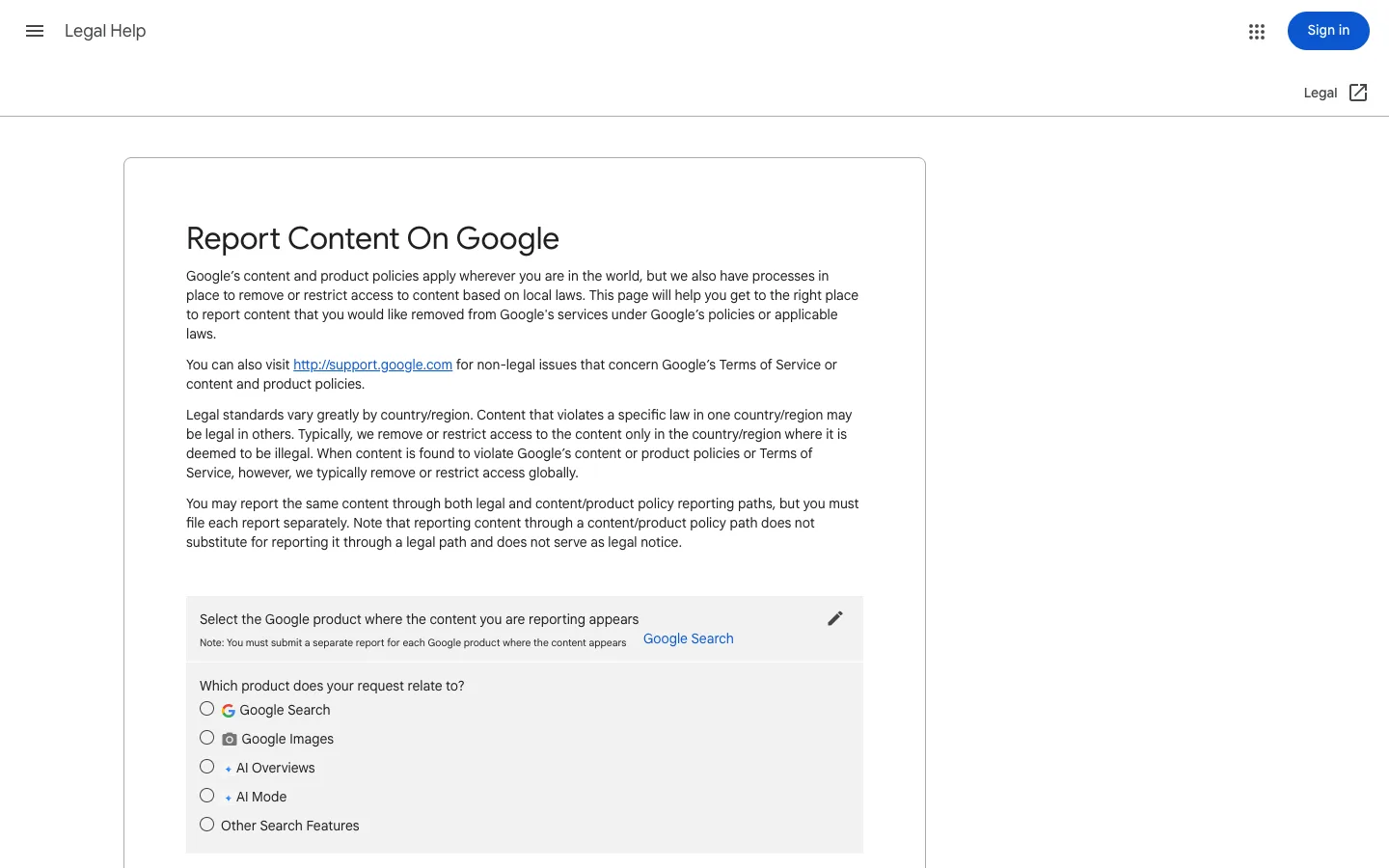
The next question, "Which product does your request relate to?", narrows things down. Pick Google Search for normal web results, or Google Images if the stolen content shows up in image search. There are also options for AI Overviews, AI Mode, and Other Search Features.
Step 3: Answer the AI question and pick the legal reporting path
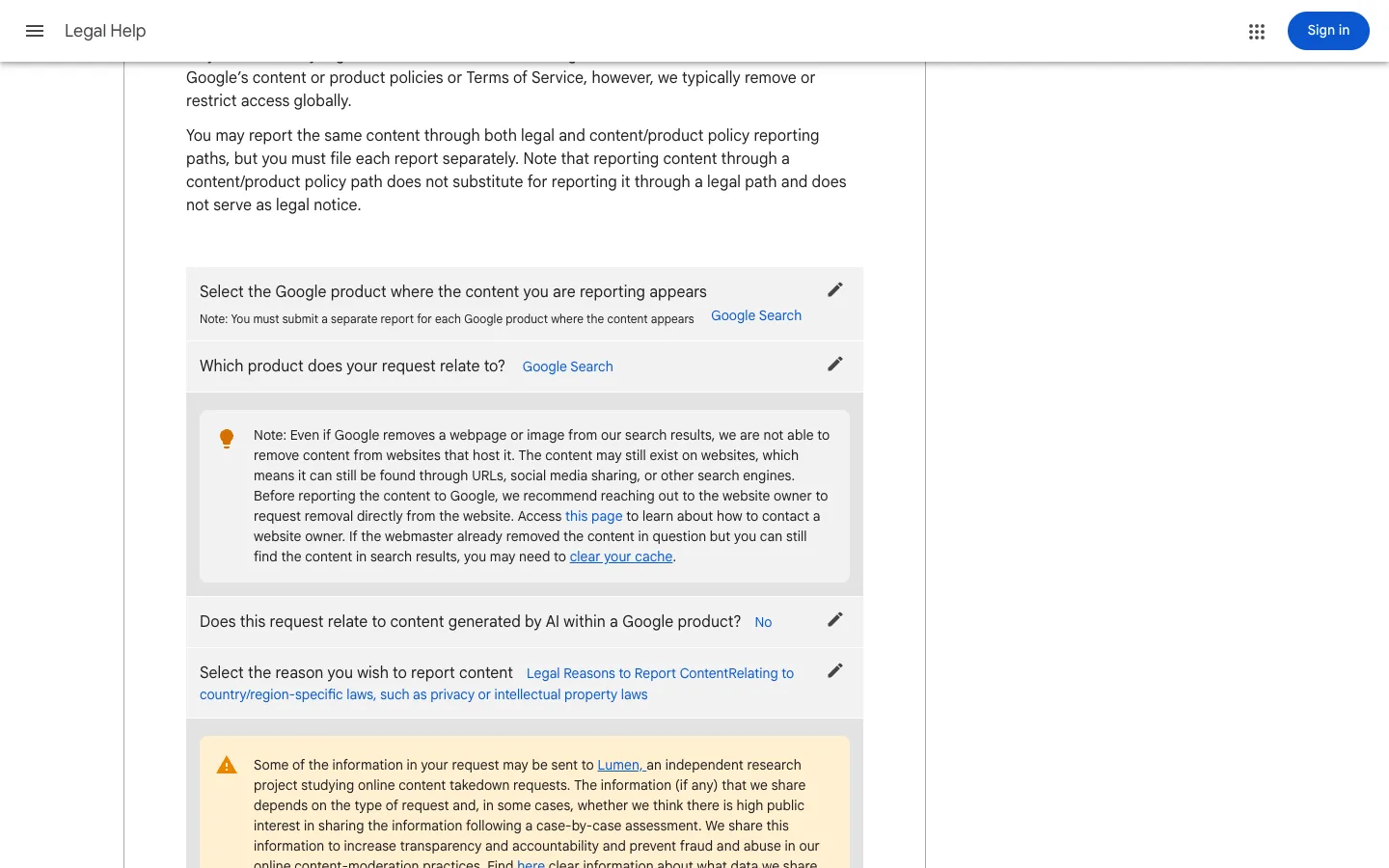
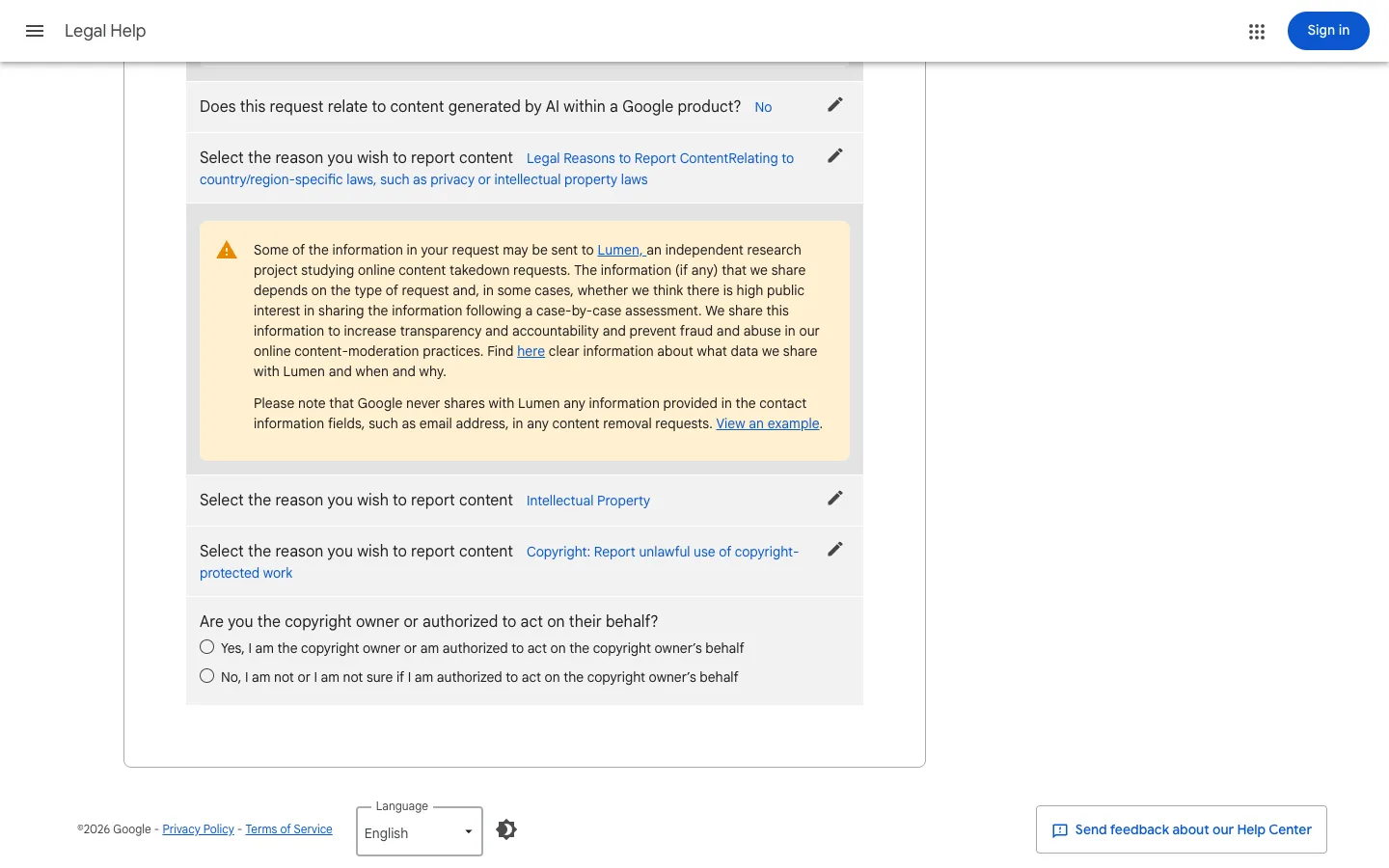
Google then asks "Does this request relate to content generated by AI within a Google product?", answer No for a standard copyright complaint. For "Select the reason you wish to report content", choose Legal Reasons to Report Content, Relating to country/region-specific laws, such as privacy or intellectual property laws. A highlighted note here repeats that Google can't remove content from the websites hosting it and recommends contacting the site owner directly.
Step 4: Select Intellectual Property, then Copyright
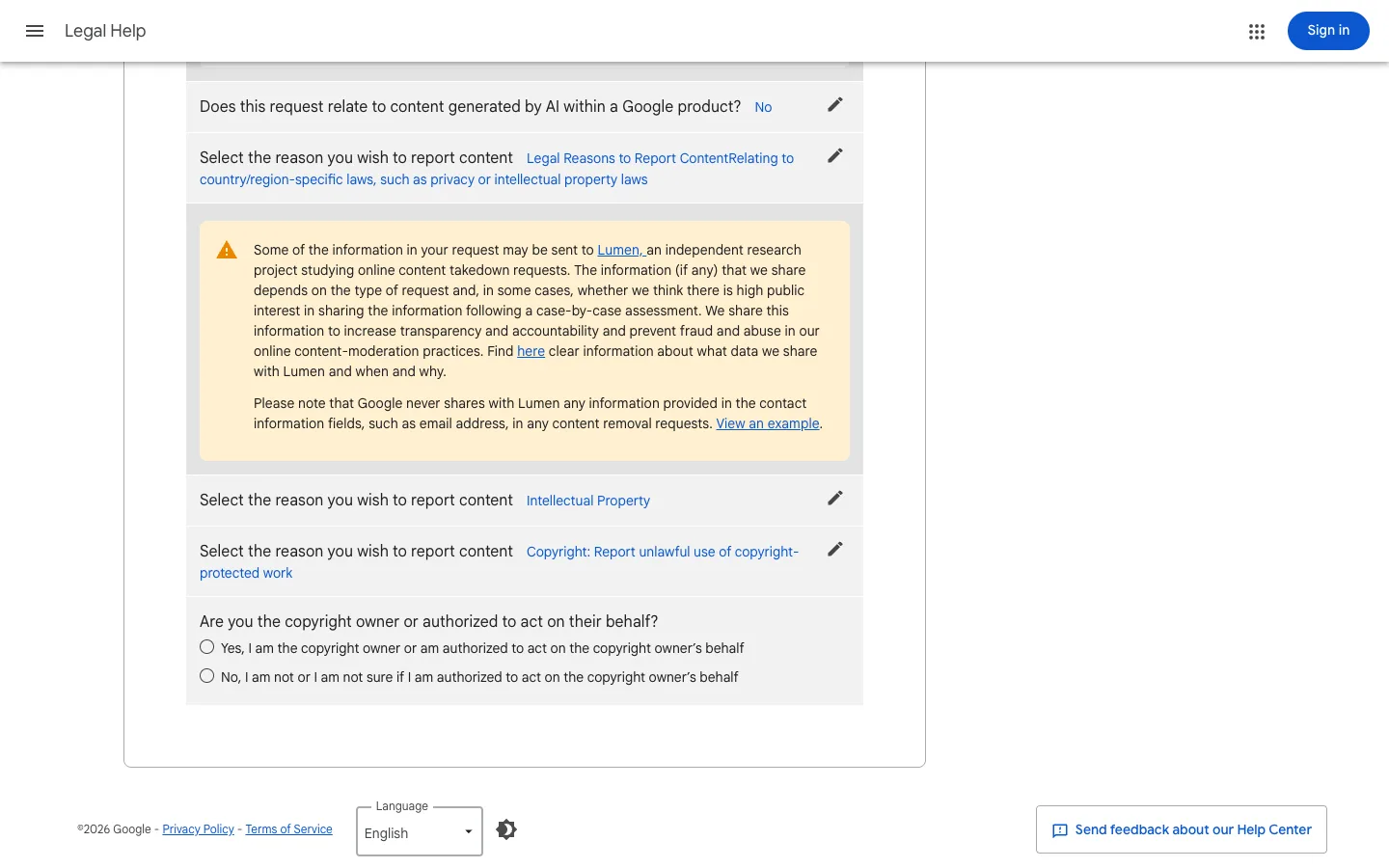
Two more choices: pick Intellectual Property, then Copyright: Report unlawful use of copyright-protected work. The troubleshooter then asks "Are you the copyright owner or authorized to act on their behalf?", select Yes; Google won't accept the notice from you otherwise.
Step 5: Read the Lumen transparency notice
Before the form opens, Google displays a yellow notice: some information from your request may be sent to Lumen, an independent research project that publishes online takedown requests. Google never shares your contact information fields, such as your email address, with Lumen, but the URLs and description of your claim may become publicly searchable. Continue once you've read it.
Step 6: Sign in to your Google account on the DMCA form
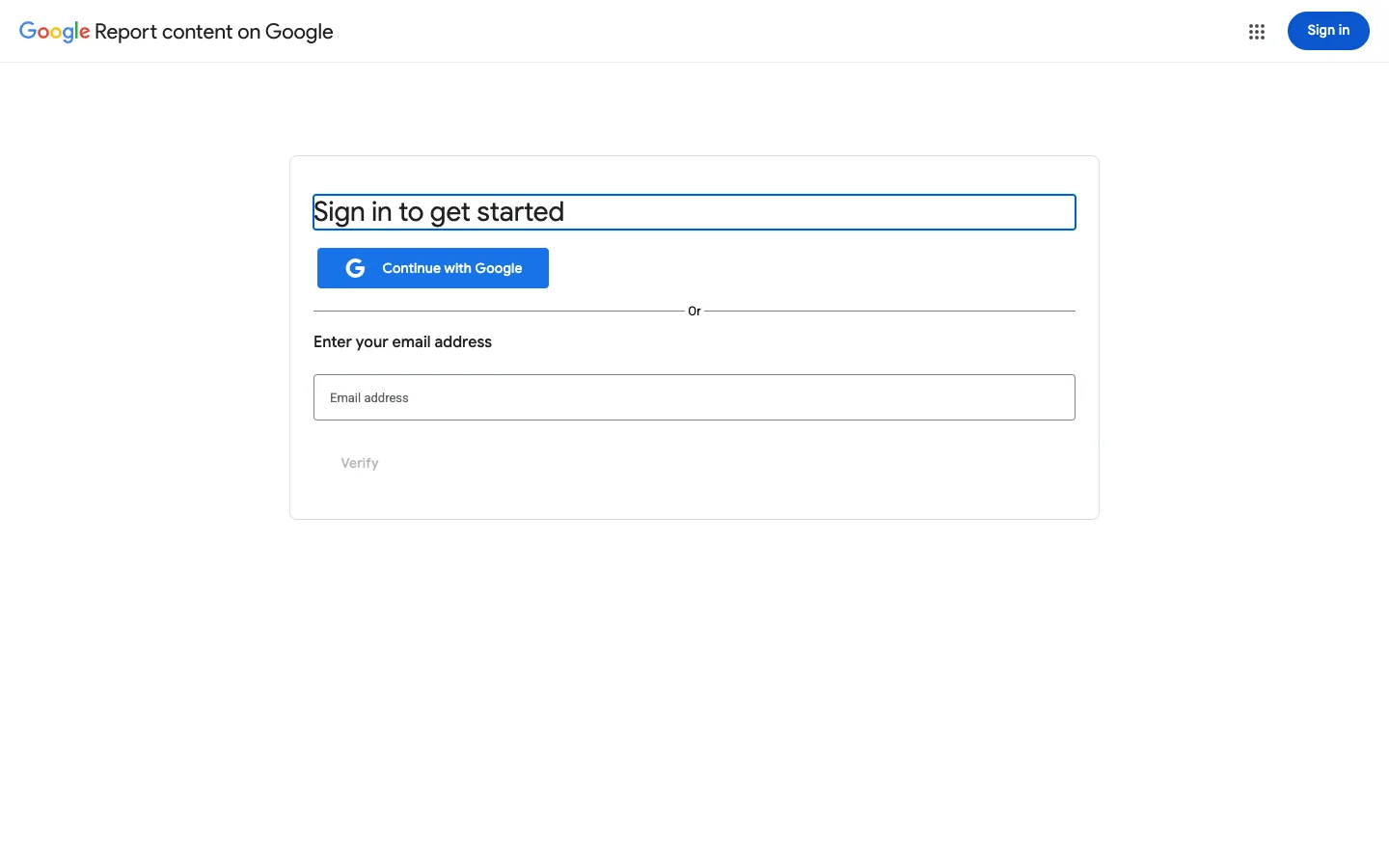
You'll land on the actual form at reportcontent.google.com/forms/dmca_search. The form now requires you to be signed in to a Google account, so click Continue with Google and sign in first if you are not already. Google uses your account's email as your contact email and shows it on the form as "Email verified as: your email", so sign in with the address you want them to use to reach you.
Step 7: Complete the form and submit
Once you are signed in, the form collects your contact information, a description of the copyrighted work, the link where your original appears, and the web addresses (links) where your work shows up in Google's search results (one per line). You'll finish with the standard sworn statements, good-faith belief and accuracy under penalty of perjury, and a typed signature. Double-check every link, then submit.
What happens after you file
Google emails a confirmation with a case number. Well-documented requests are typically processed within a few days to two weeks; you'll be notified when URLs are removed. The site owner may file a counter-notice, in which case Google can restore the listing after 10-14 business days unless you take legal action.
If nothing happens, reply to the case email with clarifications, or re-file with cleaner evidence. And remember: de-indexing hides the page from Google, but the content is still live, send a takedown to the hosting site or its web host to remove it at the source. If chasing hosts and re-uploads becomes routine, a managed service such as Rulta can take over the filing and follow-up.
This guide is educational information, not legal advice.
Need the notice text?Generate a complete DMCA notice for Google Search — free, one minute
Exhibit A — official takedown formhttps://reportcontent.google.com/forms/dmca_search
Frequently asked questions
Does a Google DMCA takedown remove the content from the internet?
No. Google only removes the page from its search results. The content stays on the hosting website, so you should also send a takedown to the site owner or its host.
How long does Google take to process a DMCA request?
Most straightforward requests are processed within a few days to two weeks. Complex cases or incomplete notices take longer.
Do I need a Google account to file?
Yes. The copyright removal form now requires you to sign in to a Google account before you can start. Google uses the email address on that account as your contact email on the notice, so sign in with the address you want them to use to reach you.
Will my takedown notice be made public?
Parts of it may be. Google can share request details with the Lumen database, a public research project, though it never shares your contact information fields such as your email address.
Can I report multiple Google products in one notice?
No. Google requires a separate report for each product. A notice for Google Search does not cover YouTube, Blogger, or Google Images results filed under a different product.
What if the website keeps re-uploading my content?
You can file new notices for the new links each time. Repeat offenders can also be reported to their web host, and persistent cases are a common reason creators use a monitoring service.