How to File a DMCA Takedown on TikTok
TikTok's duet-and-repost culture means original videos get lifted and re-uploaded constantly, often stripped of credit and monetized by someone else. TikTok accepts DMCA notices through a public copyright webform that doesn't require a TikTok account, and there's an in-app shortcut that leads to the same place. This guide covers the form as it works in July 2026.
If filing and chasing takedowns isn't how you want to spend your time, Rulta is a done-for-you DMCA takedown service whose team files and follows up on takedowns for content creators, on TikTok and across other platforms.
Before you start
- Proof of ownership, your original video file or a link to where it first appeared (your TikTok account, YouTube channel, or website).
- Links to every video or account that copied your work. Tap Share on the video and choose Copy link, or copy the address from the browser.
- Your contact details, full name and a monitored email address.
- Whether you are the rights owner yourself or an authorized representative (an agent, lawyer, or company filing for the creator).
Step 1: Open TikTok's copyright report webform
Go to https://www.tiktok.com/legal/report/Copyright. The page is titled Report copyright infringement and notes the form is for infringements in user-generated content. Read the warning before you begin: misuse of the webform, such as submitting false information, may result in the suspension of your webform access or other legal consequences.
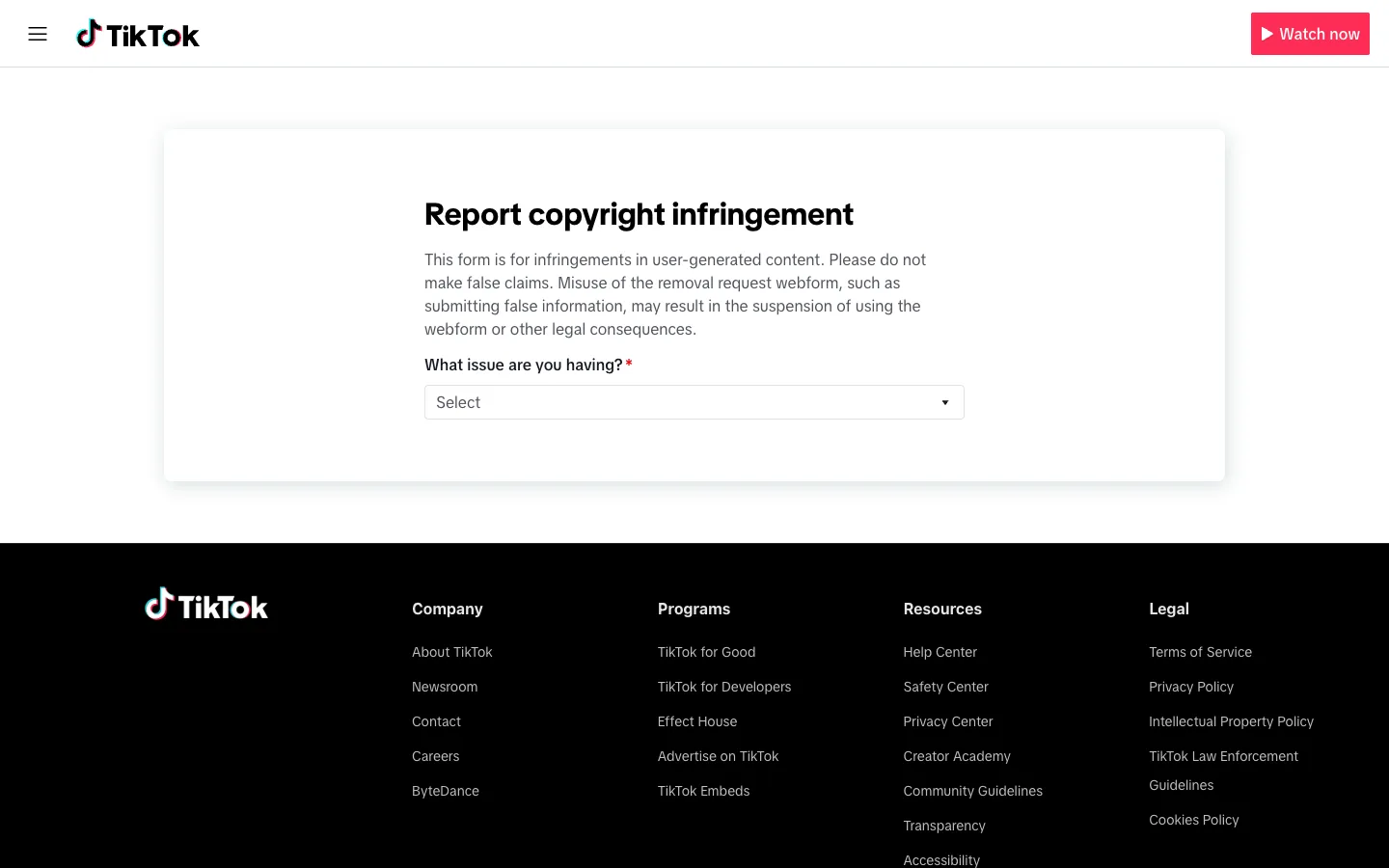
Alternative route: in the TikTok app, on any offending video tap Share → Report → Intellectual property infringement, it sends you to this same webform with less typing.
Step 2: Choose the copyright option in the dropdown
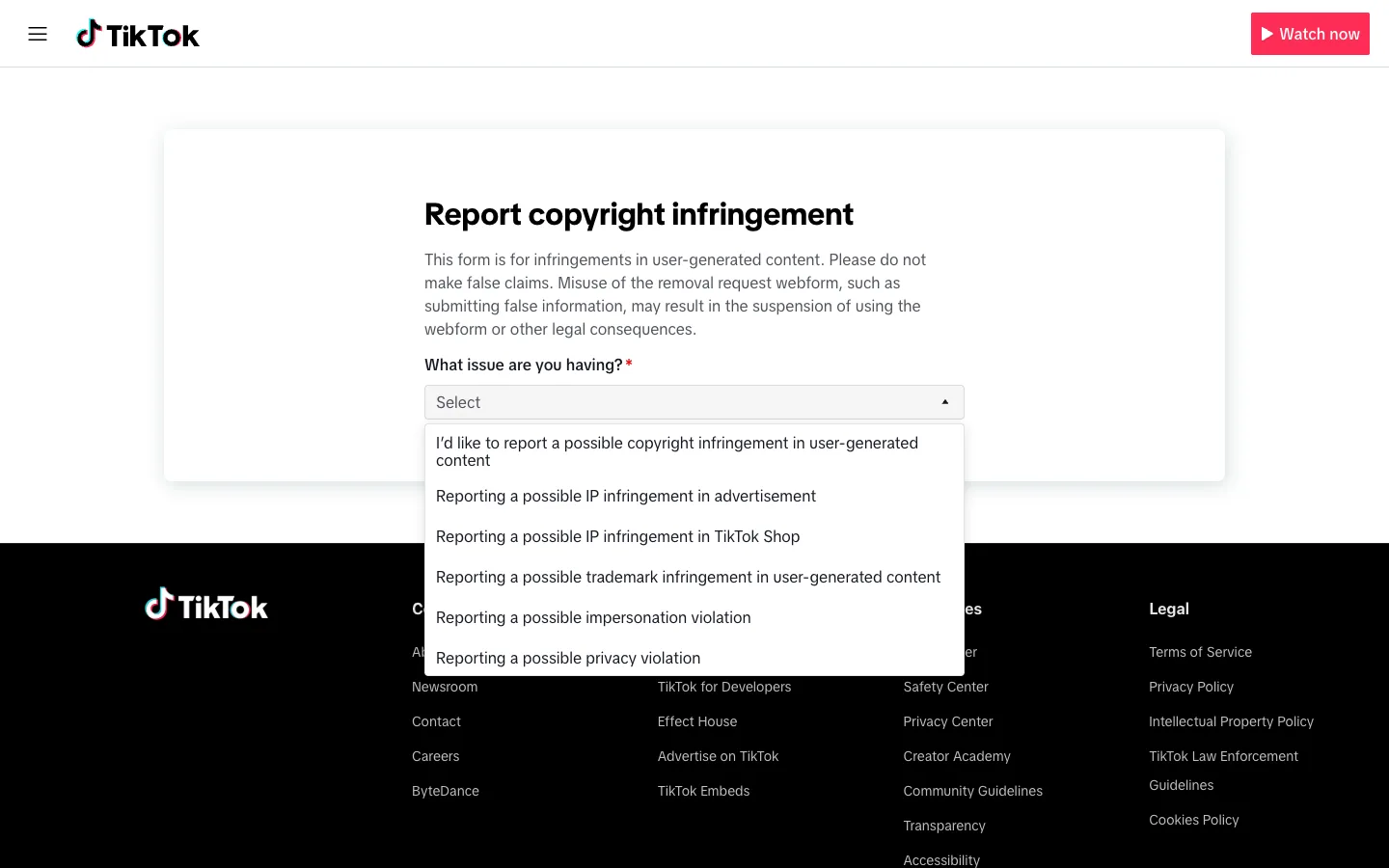
The first control is a required dropdown labeled "What issue are you having?". Open it and select "I'd like to report a possible copyright infringement in user-generated content." The other entries cover different problems, copyright issues in advertisements or TikTok Shop, trademark infringement, impersonation, and privacy violations, so make sure you pick the copyright option for stolen videos. A second dropdown appears once you pick this option.
Step 3: Say who you are and add your contact info
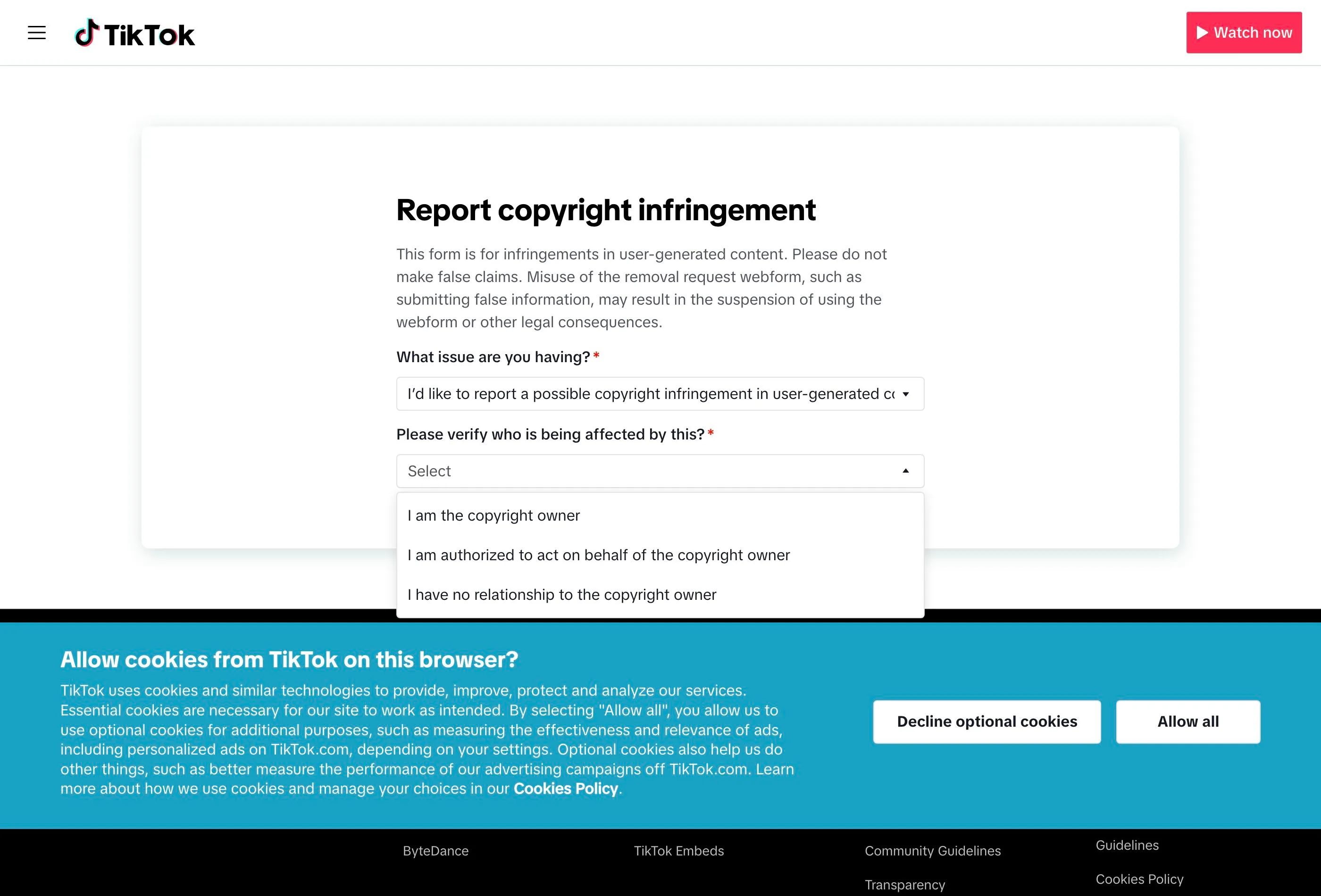
That second dropdown is labeled "Please verify who is being affected by this?". Choose "I am the copyright owner", or the authorized-representative option if you're an agent, lawyer, or company filing for the creator, then click Next. Representatives may be asked for proof they are authorized to file.
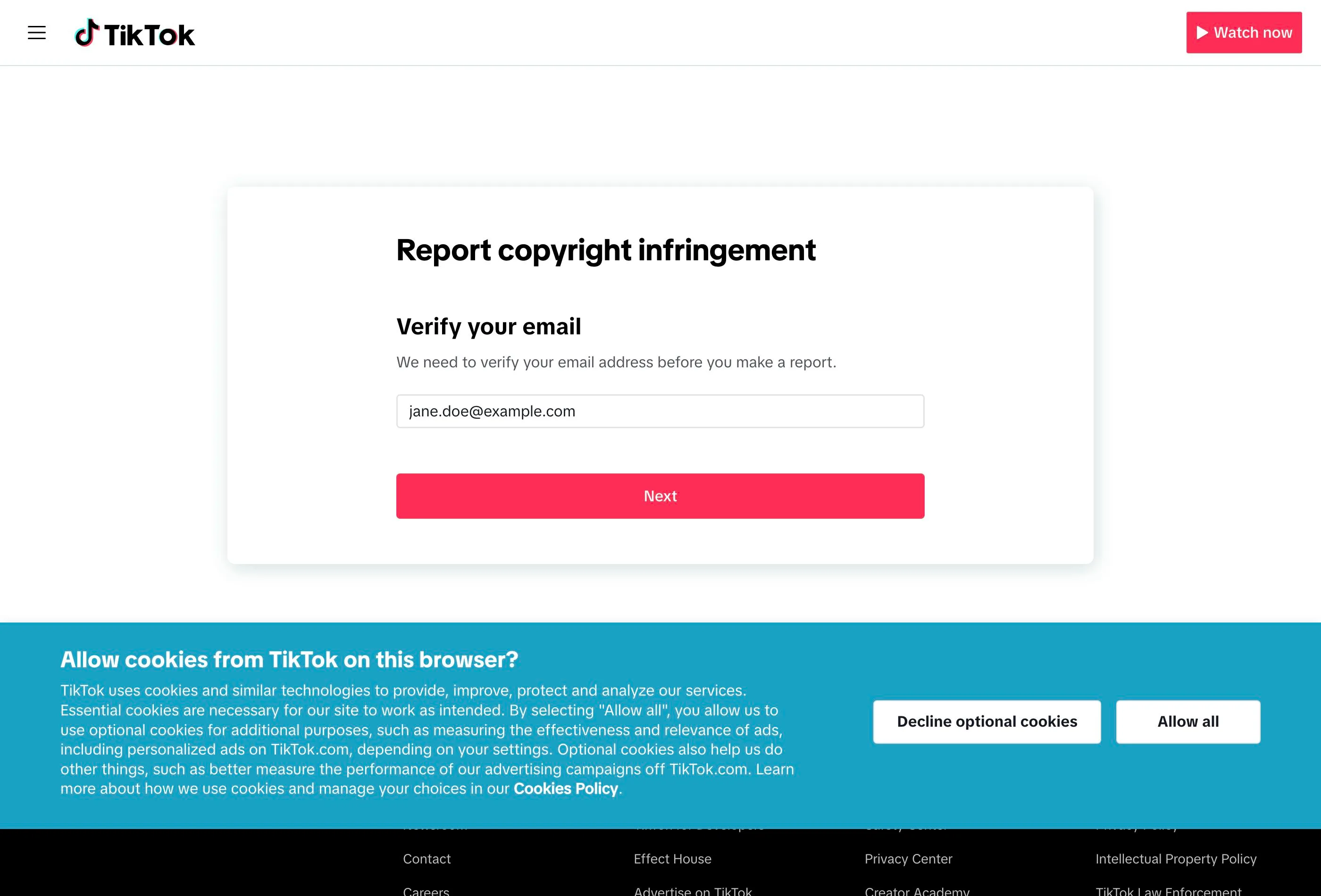
Before it will show you the rest of the form, TikTok makes you verify your email. It sends a numeric code to the email address you enter, and only after you type that code back in does it reveal the fields for your details and the links to the stolen videos. Use a real inbox you can open right now: if you can't confirm the code, you never reach the actual report form.
Once your email is verified, fill in your name and contact details. TikTok uses these to send you the outcome and any follow-up questions, and they may be shared with the uploader as part of the notice.
Step 4: Paste the links to the videos that copied your work
Add the link to every TikTok video that copied your work, plus the account link if one profile has re-uploaded several of them. TikTok reviews exactly what you list, so don't summarize: every re-upload needs its own link if you want it removed.
Step 5: Describe your copyrighted work
Explain what was copied and where the original lives: "my original video posted on my account @yourhandle on [date], link: [URL]". If the infringer cropped, mirrored, or re-captioned your video to dodge detection, mention that too, it helps the reviewer match the two.
Step 6: Sign the statements and submit
Finish with the standard DMCA declarations, good-faith belief that the use is unauthorized, accuracy of the information, and, under penalty of perjury, that you are the owner or authorized to act for them. Type your full name as your signature and submit. You'll receive an email acknowledgment for your records.
What happens after you file
TikTok's copyright team usually responds within a few days to a week. If the notice is valid, the video is removed and the uploader is notified; accounts that rack up repeated violations can be banned under TikTok's Intellectual Property Policy. The uploader can send a counter-notification, if that happens, TikTok may restore the video after around 10 business days unless you notify them that you've filed a court action.
If your report goes unanswered, re-file with more precise links and a clearer ownership description, and consider filing a DMCA notice with Google Search so the re-uploads at least stop surfacing in search results. When the same clip keeps reappearing under new accounts, ongoing monitoring and refiling, either your own routine or a managed service like Rulta, is what actually keeps it down.
This guide is educational information, not legal advice.
Need the notice text?Generate a complete DMCA notice for TikTok — free, one minute
Exhibit A — official takedown formhttps://www.tiktok.com/legal/report/Copyright
Frequently asked questions
Do I need a TikTok account to file a copyright report?
No. The webform at tiktok.com/legal/report/Copyright is public and does not require a TikTok login.
How long does TikTok take to remove stolen videos?
Straightforward reports are usually handled within a few days to a week. TikTok emails you about the outcome.
Can I report someone reposting my TikTok videos from inside the app?
Yes. On the video tap Share, then Report, then Intellectual property infringement, it routes you to the same webform.
What happens if I file a false claim?
TikTok warns that misuse of the webform, such as submitting false information, can lead to suspension of your access to the webform or other legal consequences.
Can the uploader dispute my takedown?
Yes. The uploader can file a counter-notification, and TikTok may restore the video after roughly 10 business days unless you show you have filed a court action.
Does TikTok punish repeat infringers?
Yes. Under TikTok's Intellectual Property Policy, accounts that receive multiple valid copyright violations can be banned.