How to File a DMCA Takedown on X (Twitter)
Someone has posted your photo, artwork, video, or other original work on X without permission, and you want it taken down. X accepts DMCA copyright notices through a free web form, and you do not need an X account to use it. This guide walks through the current form field by field, based on live captures from July 2026.
One important update first: the old direct DMCA form at help.twitter.com/forms/dmca is dead (it returns a 404). The current route is the Intellectual Property Issues form covered below.
Before you start
Have these ready before you open the form:
- Proof you own the work (the original file, the page where you first published it, or a registration)
- The exact web address of every post that copied your work (the
https://x.com/username/status/...link, not just the profile) - Your full legal name, email address, and mailing address
- If you are filing for someone else, evidence you are authorized to act for the owner
Step 1: Open X's Intellectual Property Issues form
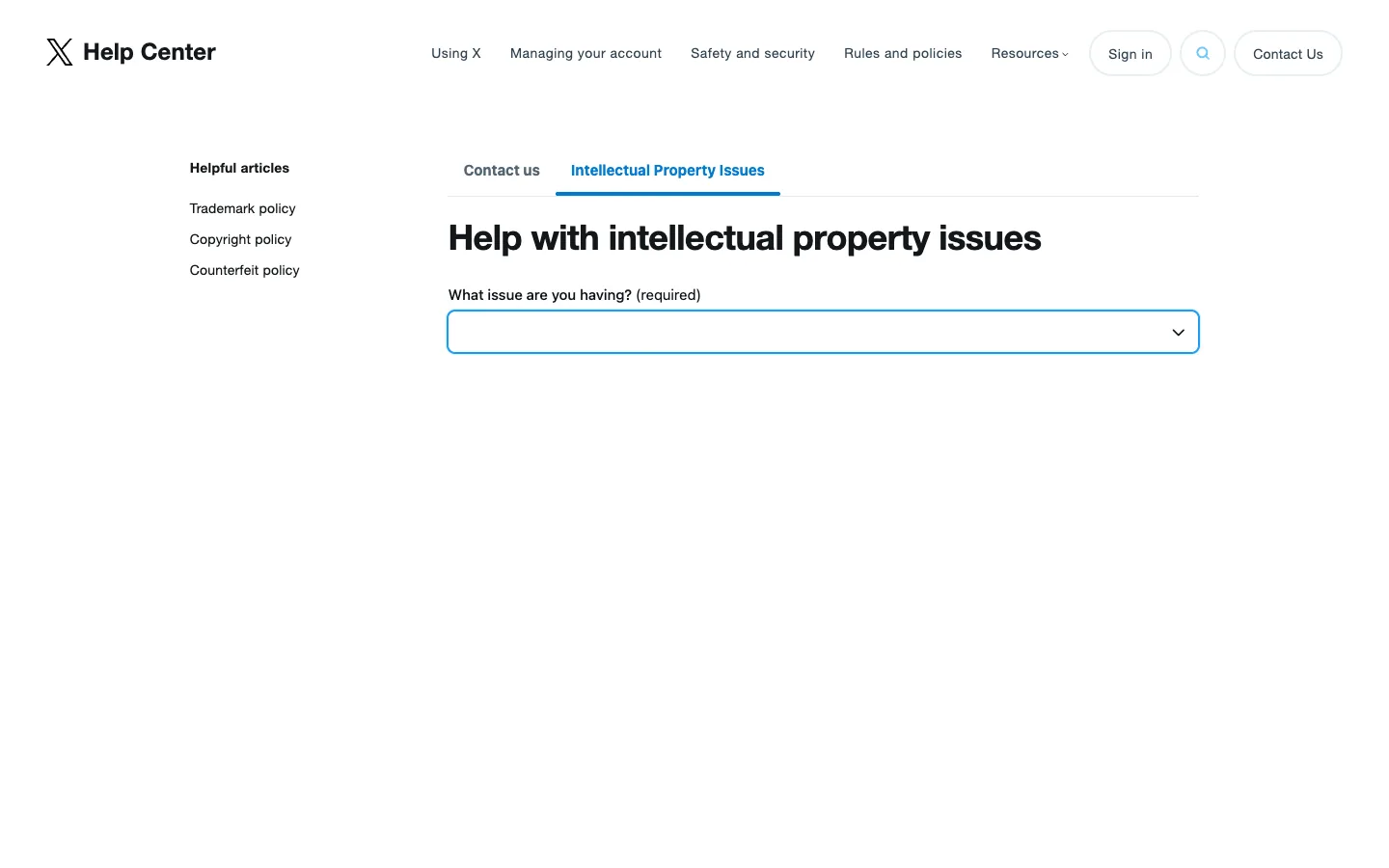
Go to https://help.x.com/en/forms/ipi. You will land on the X Help Center's "Intellectual Property Issues" tab with the heading "Help with intellectual property issues" and a single required dropdown labeled "What issue are you having?". The left sidebar links to X's trademark, copyright, and counterfeit policies if you need them.
Step 2: Copy the exact links to the posts that copied your work
Open each post that uses your work, click the share icon, and copy the link. A valid post URL looks like https://x.com/username/status/1234567890. Collect the link to every post that copied your work. X acts on the specific links you list, so anything you leave out stays up.
Step 3: Check your complaint against X's copyright policy
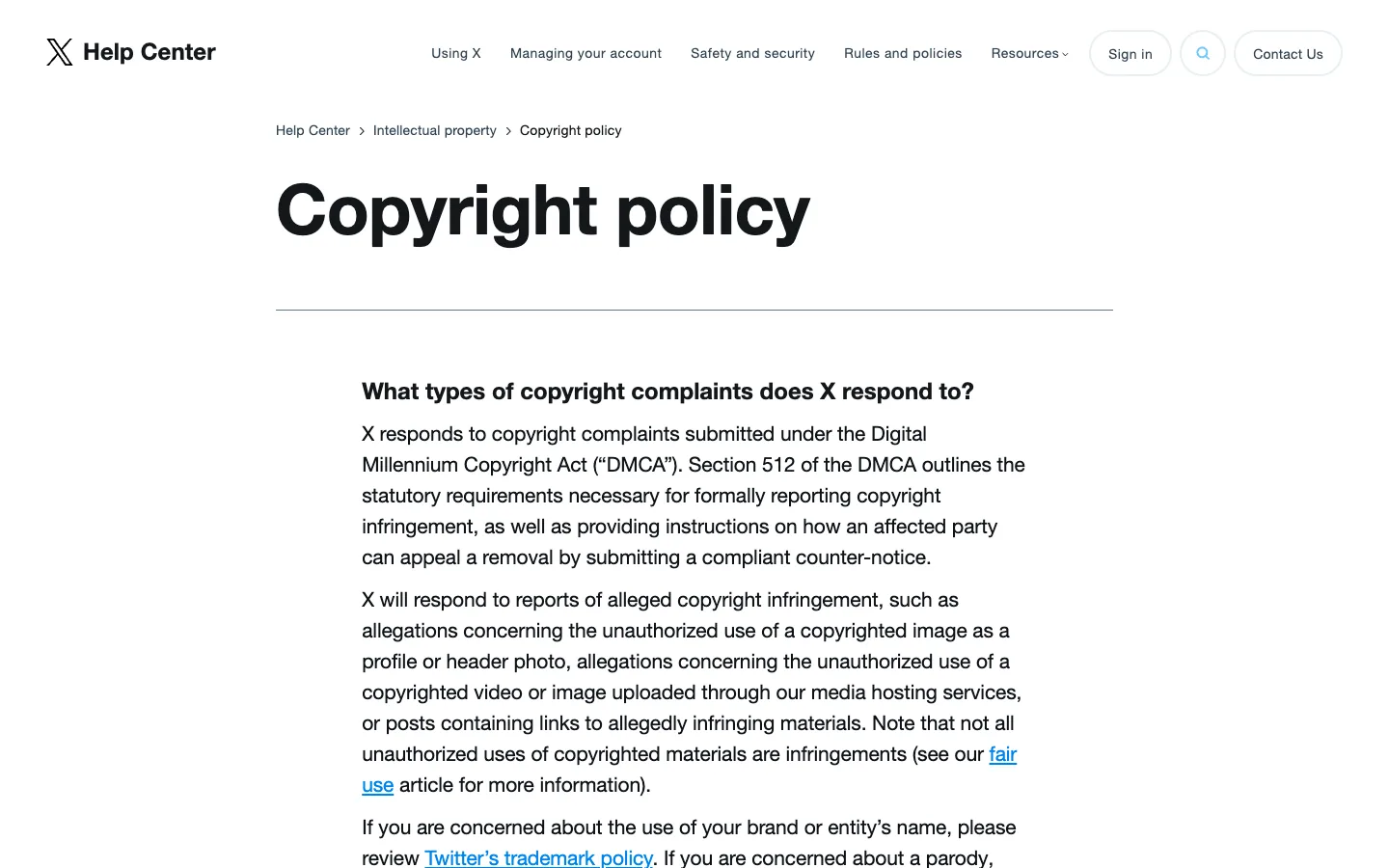
Skim X's copyright policy at https://help.x.com/en/rules-and-policies/copyright-policy. It confirms X responds to DMCA complaints about unauthorized use of a copyrighted image as a profile or header photo, copyrighted videos or images uploaded through X's media hosting, and posts that link to stolen work. It also notes that not every unauthorized use is infringement (fair use exists), and it links to the counter-notice and retraction forms.
Step 4: Select "I need to report possible copyright infringement"
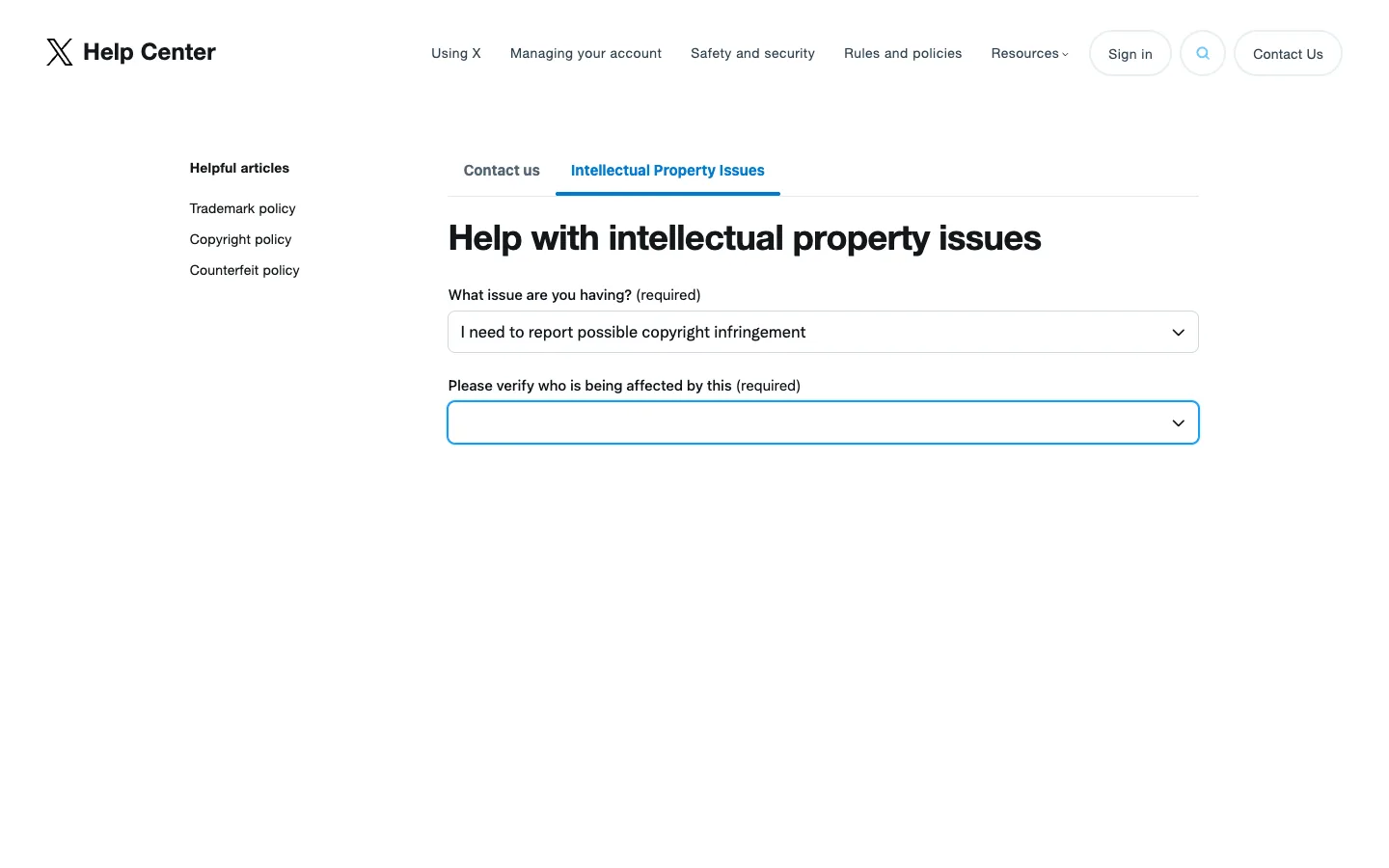
Back on the form, open the "What issue are you having?" dropdown and choose "I need to report possible copyright infringement". The other options, trademark infringement, counterfeit goods, counter-notice, and DMCA retraction, are for different situations. Once you select the copyright option, a second required dropdown appears: "Please verify who is being affected by this".
Step 5: Verify who is being affected
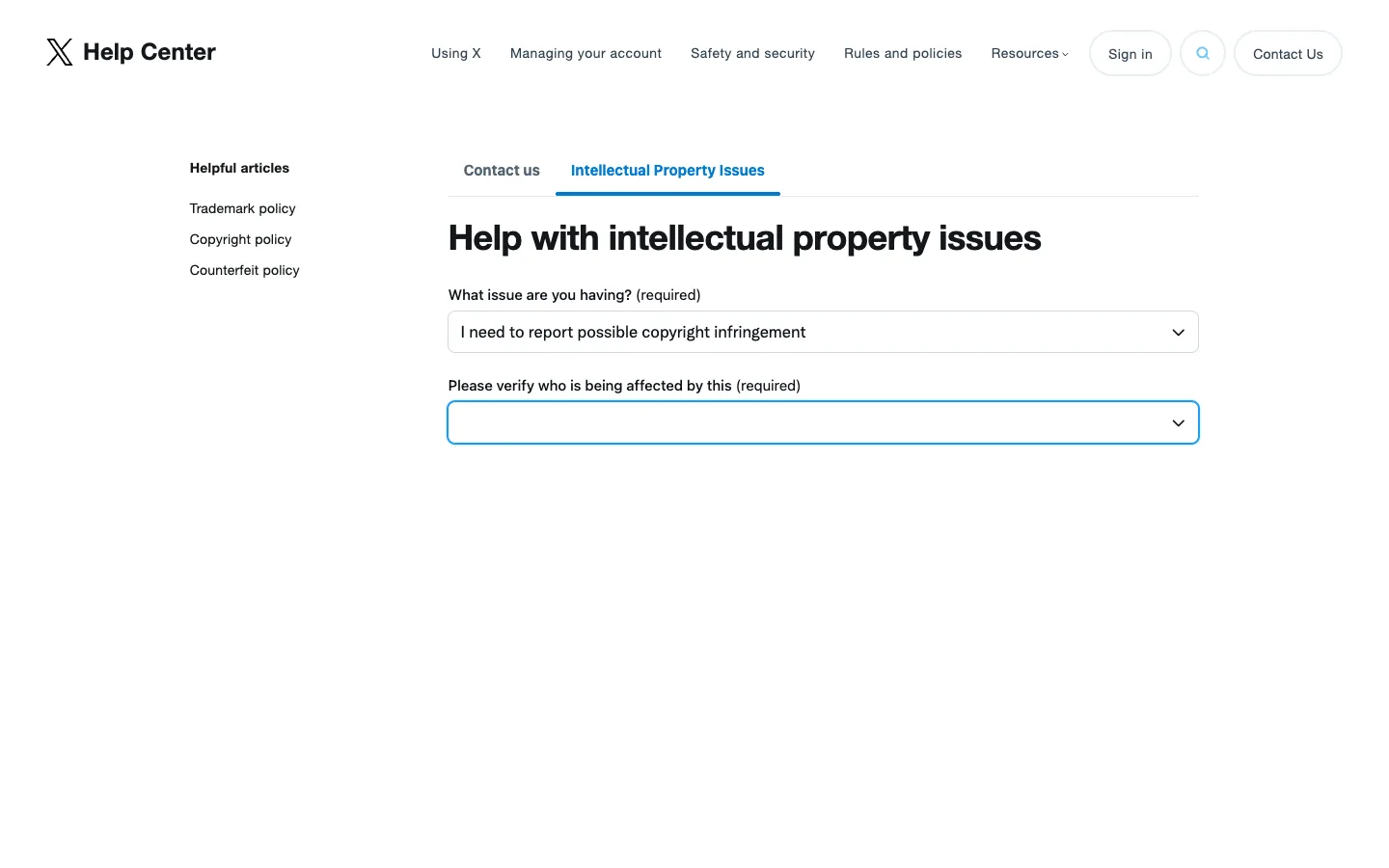
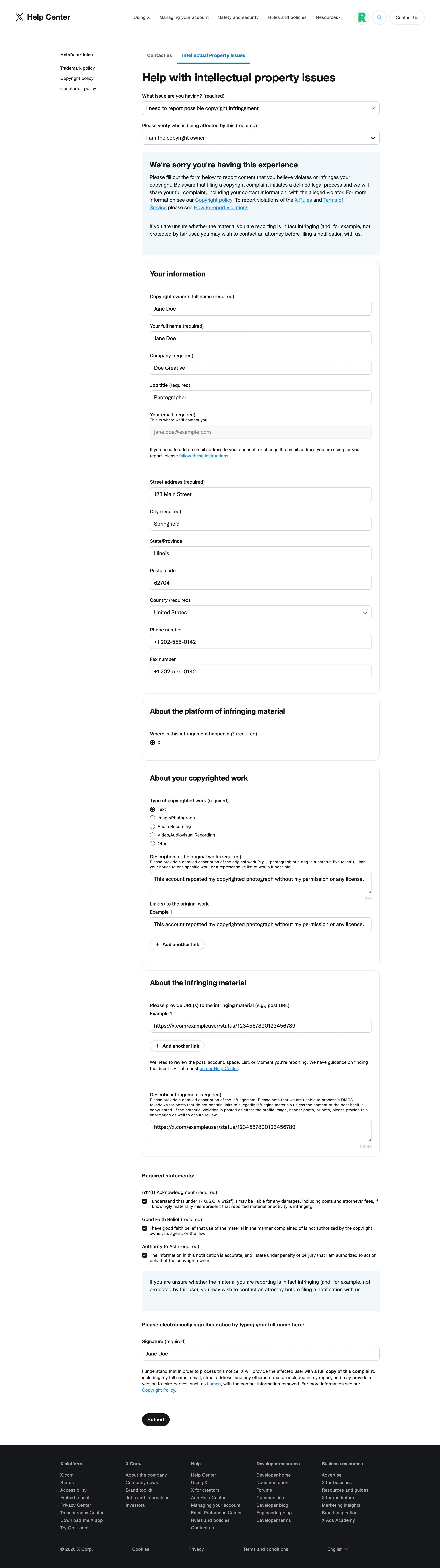
In the "Please verify who is being affected by this" dropdown, state whether you are the copyright owner or an authorized representative filing on the owner's behalf. Your choice determines what the form expands to ask next: contact details, the links to the posts that copied your work, and a description of your original work.
Step 6: Fill in the details, sign, and submit
Paste the links from Step 2, describe your original work and where it lives online, and enter your contact details. The form marks "Company" and "Job title" as required even if you are an individual, so a solo creator can simply enter their own name and a role like "Owner" or "Photographer".
Next, tick the three checkboxes that make up the sworn part of the notice:
- A good-faith-belief statement: you genuinely believe the use of your work was not authorized by you, your agent, or the law.
- An accuracy statement: the information you have provided is accurate and, under penalty of perjury, you are authorized to act for the owner of the work.
- A 512(f) Acknowledgment: you understand that under 17 U.S.C. section 512(f) you can be held legally liable for damages, including the other side's legal costs, if you knowingly make a false claim that something is copyright infringement. This is a good reason to only report work you truly own.
Finally, type your full legal name as your electronic signature. Submit, and watch your inbox for a confirmation email from X.
What happens after you file
X usually acknowledges notices quickly and acts within a few days to two weeks. Removed posts are replaced with a notice that the content was withheld, and the poster receives a copy of your complaint (with your contact details), so expect that they will know who filed. The poster can file a counter-notice; if they do, X may restore the content in about 10 to 14 business days unless you show you have filed a court action.
If X does not respond, re-file with tighter detail (exact URLs, clearer ownership proof), or use Google's copyright removal process to de-index the posts from Search so they stop surfacing. If you would rather not manage filings and follow-ups yourself, Rulta is a done-for-you DMCA takedown service whose team files and follows up on takedowns for content creators.
This guide is educational information, not legal advice.
Need the notice text?Generate a complete DMCA notice for X (Twitter) — free, one minute
Exhibit A — official takedown formhttps://help.x.com/en/forms/ipi
Frequently asked questions
Does the old Twitter DMCA form still work?
No. The old direct form at help.twitter.com/forms/dmca returns a 404 as of 2026. Copyright reports now go through X's Intellectual Property Issues form at help.x.com/en/forms/ipi.
Do I need an X account to file a DMCA takedown?
No. The Intellectual Property Issues form is public. You provide your name, email, and contact details inside the form itself.
How long does X take to act on a DMCA notice?
Typically a few days to around two weeks. You receive an email confirmation when the notice is received, and X notifies you when action is taken.
Can I report a stolen profile picture or header photo?
Yes. X's copyright policy explicitly covers unauthorized use of a copyrighted image as a profile or header photo, as well as images and videos in posts.
What happens if the poster files a counter-notice?
X forwards the counter-notice to you and may restore the content in about 10 to 14 business days unless you show you have filed a court action to keep it down.
Can someone file on my behalf?
Yes. The form's "Please verify who is being affected by this" dropdown lets an authorized representative (such as an agent or attorney) file for the copyright owner.